Grok image generation: a prompt guide
Prompt structure, iteration and review checks for Grok image generation.
Grok image generation is useful when you need a quick visual concept, a social image, a product mood board or a promptable creative direction. The best results come from a clear scene, a clear subject and a short list of constraints. Long prompt essays often make the image less stable, not more controlled.
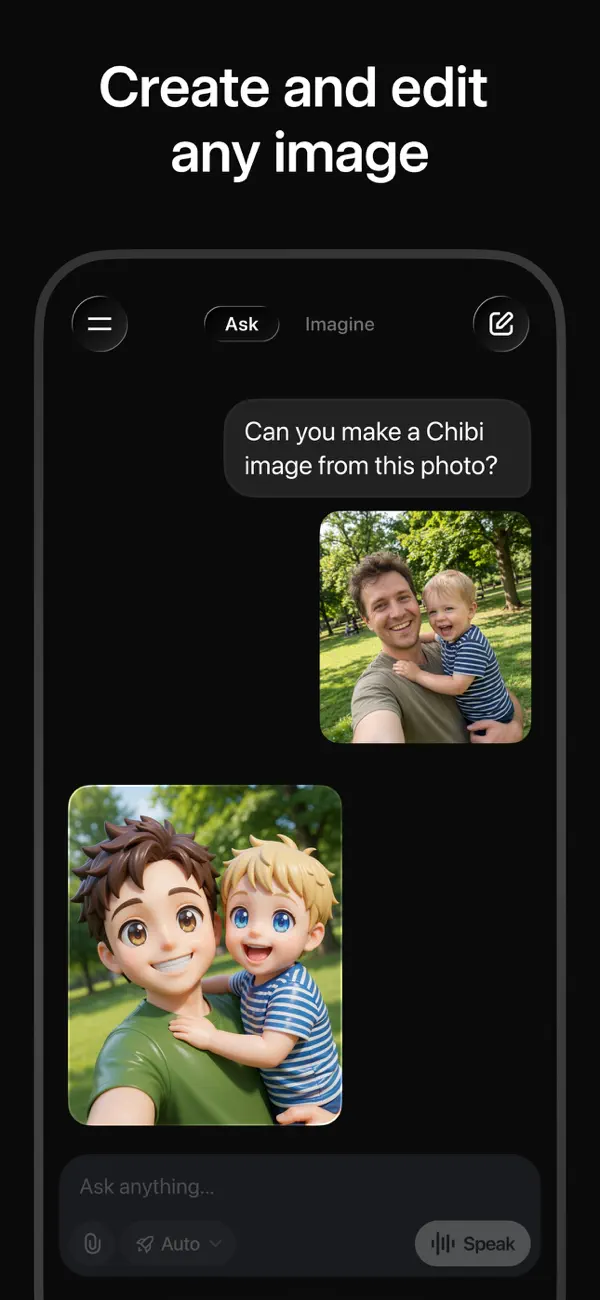
Start with a clean brief
One sentence each for subject, environment and style. Avoid long prompt essays.
Avoid exact brand logos, real people or fake app screens. Review rights, likeness and accuracy before publishing.
Control composition
Use camera and layout language: wide shot, close crop, flat lay, centered subject, negative space at top.
Reuse the same lighting, lens and background words across prompts so results stay predictable.
Use practical prompt patterns
Product pattern: subject, surface, lighting, camera distance, background, exclusions.
Social pattern: subject, mood, empty space, crop, device use. Decide caption space before generating.
Iterate in small steps
Change one variable at a time (crop, lighting, background, mood or subject) and save strong prompts to a library.
If every version fails the same way, simplify the subject rather than adding more instructions.
Review before use
Check for broken hands, unreadable text, distorted objects and accidental logos. Zoom out on a phone for quote/social images.
Do not use generated images as evidence of real events, products or people. Treat them as concepts and drafts.
If you need plan details for image limits, see Grok pricing. For reusable prompt patterns, see Grok prompts.
What Grok image generation is good for
Grok image generation suits fast visual concepts: a social post, a mood board, a product mockup, a header illustration or a promptable creative direction to hand to a designer. It is quick, and it rewards a clear brief more than a long one.
It is not a substitute for real product photography, and it should not be used as evidence of a real event, product or person. Treat every result as a draft. Where a detail has to be accurate, such as a logo, a screen or a real face, use an authorised asset instead of a generated approximation. That single habit avoids most of the rights and accuracy problems people run into later.
A prompt formula that works
A reliable prompt names six things in order: subject, setting, lighting, camera or lens, style, and exclusions. Subject and setting fix what the image is. Lighting and camera control how it feels and how close it sits. Style sets the finish, for example editorial product photo or flat illustration. Exclusions, such as no text and no logo, remove the artefacts that most often spoil a render.
Keep the wording short and change one variable at a time. If a version fails, adjust the crop or the lighting on its own rather than rewriting the whole prompt. Save the prompts that work to a small library so a good look can be repeated. When every attempt fails the same way, the fix is almost always a simpler subject, not more instructions.
How to review an image before you publish
- Zoom in on hands, eyes and small objects, where distortion is most common.
- Read any text in the image. Generated lettering is often wrong; set exact wording in a design tool afterwards.
- Check for accidental logos or brand marks and remove them.
- Confirm proportions and perspective look natural, not stretched or bent.
- Check likeness and rights before using anything resembling a real person or brand.
- View the image at its final size and crop, including on a phone, before you publish it.
Frequently asked questions
Need video instead?
The video guide covers motion, scene planning and review checks.
supergrok.info is an independent guide and resource site. It is not xAI, Grok, X, or an official login, billing, API, app, or support channel. For passwords, subscriptions, API keys, billing, app downloads, account access, incidents and support, use official xAI and Grok links. Grok and xAI are trademarks of their respective owners. This site uses those names only to describe and reference the product.